

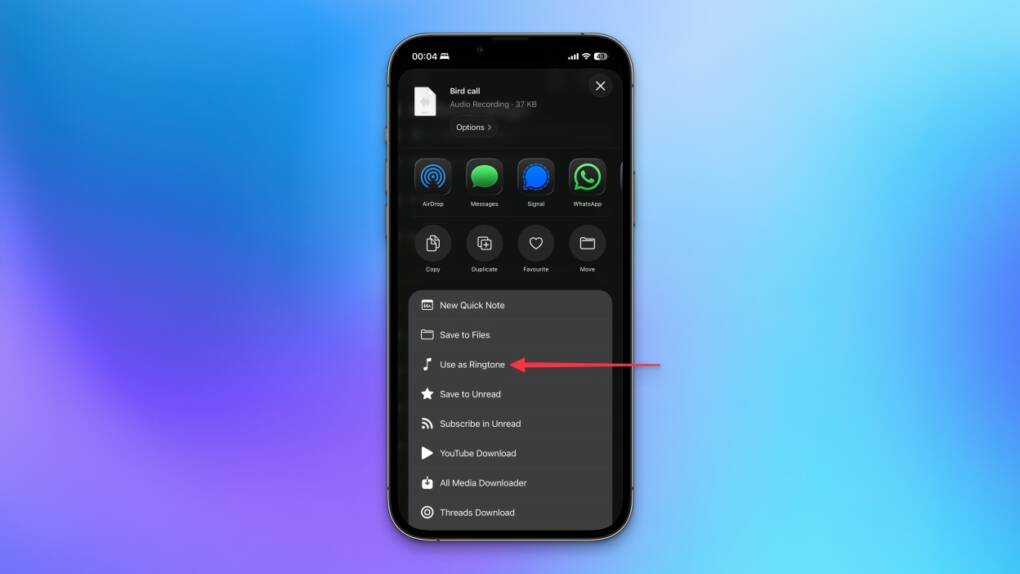
As users explore iOS 26, more hidden features are emerging, and one of the latest is the simplified process for setting custom ringtones. Now, turning your favorite track into a ringtone is quicker and easier than ever.
Gone are the days of relying on GarageBand or third-party apps to create custom ringtones. With iOS 26, Apple has introduced a seamless method that lets users assign audio files directly from the Files app or Voice Memos via the share sheet. Simply select an MP3 or M4A file (up to 30 seconds), tap “Share,” and choose “Use as Ringtone.” The new tone instantly appears in Settings > Sounds & Haptics, ready to be assigned globally or to specific contacts.
This streamlined process eliminates technical barriers, empowering users to personalize their iPhone’s soundscape with ease. Whether it is a memorable voice memo or a favorite song snippet, the feature adds a personal touch to notifications. Deleting old ringtones is equally simple, just swipe left on its entry in settings.
ALSO READ
While DRM-protected tracks from Apple Music remain off-limits due to copyright restrictions, the update supports widely-used formats like MP3 and M4A. MacRumors highlights that clips under 30 seconds work flawlessly, while NRTC praises the share-sheet integration as a game-changer for convenience. Though not a headline feature, this enhancement reflects Apple’s focus on refining everyday interactions.
The change aligns with broader personalization trends in iOS 26, including Liquid Glass aesthetics and expanded customization options. By reducing friction, Apple encourages users to explore unique ways to make their devices feel truly theirs. For longtime GarageBand users, the simplified workflow is a welcome relief.
As minor as it seems, this update significantly enhances user experience. It invites more people to embrace customization, fostering a deeper connection with their iPhones. While the public beta arrives next month and the full release coincides with the iPhone 17 launch in autumn, this feature already hints at Apple’s vision for intuitive personalization.
Looking ahead, similar share-based actions could expand to other areas of iOS, further streamlining workflows. For now, iOS 26 proves that even small updates can have a big impact, making personalized ringtones accessible to everyone. After all, your phone should sound as unique as you are.


